
Onsales Tracker: Keep Presales and General Sales Organised in One Place
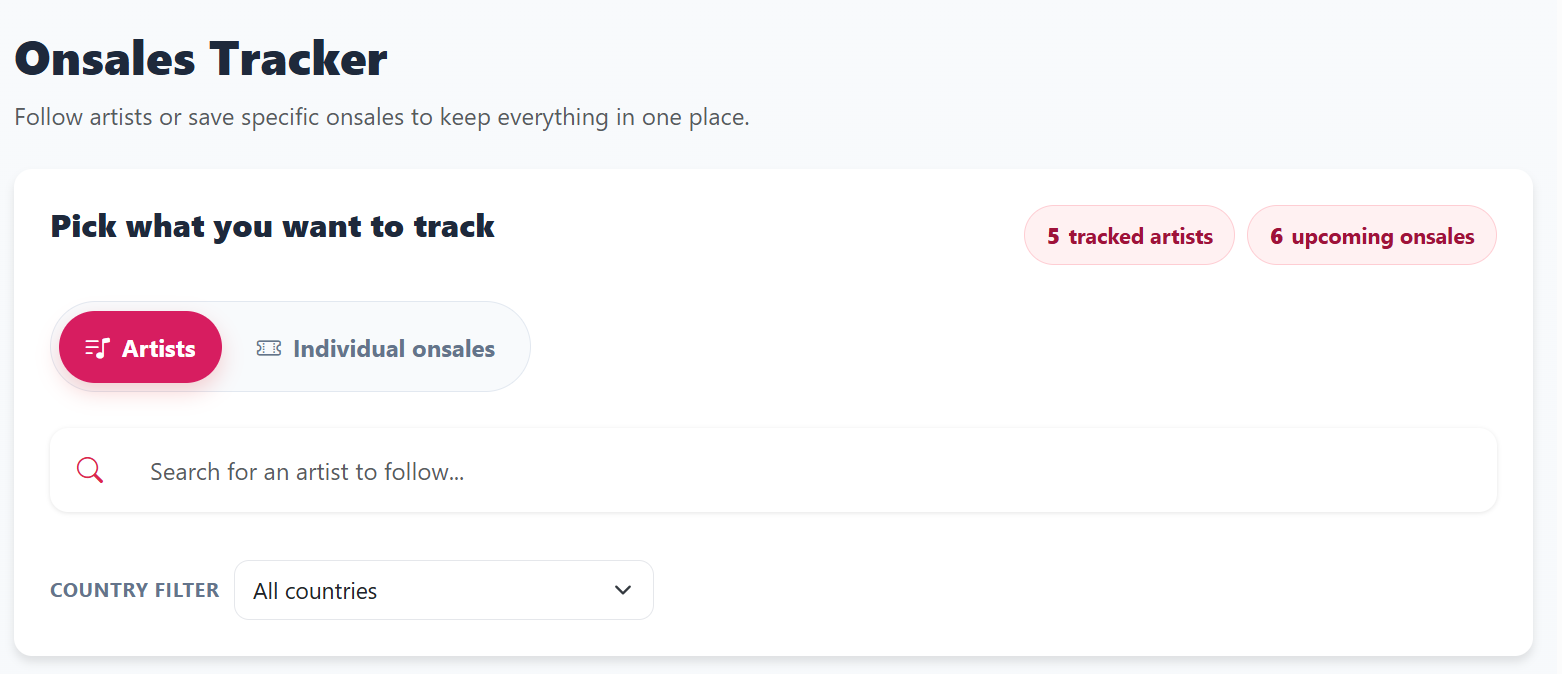
TicketRobin’s Onsales Tracker gives you one place to plan upcoming ticket sales, so you can keep track of presales and general sales without juggling screenshots, notes, and reminders across different apps.
It is the best way to give yourself a proper shot at getting official tickets first, because it helps you get into the right presales and general sales on time instead of finding out too late.
If you follow artists in the app, their upcoming onsales can be added to your tracker automatically. You can also save individual onsales manually from search, or add your own custom onsale if you cannot find it yet.
Short feature summary
The Onsales Tracker is a personal calendar for ticket onsales. It helps you organise upcoming presales and general sales in one view, track the artists and onsales you care about, and add important sale times to your own calendar so you are less likely to miss them.
In practice, that means you can use it as your first step for getting tickets through official onsales, before inventory becomes harder to get later on.
Product description
The Onsales Tracker is built for fans who want a clearer way to plan around ticket sale dates and times.
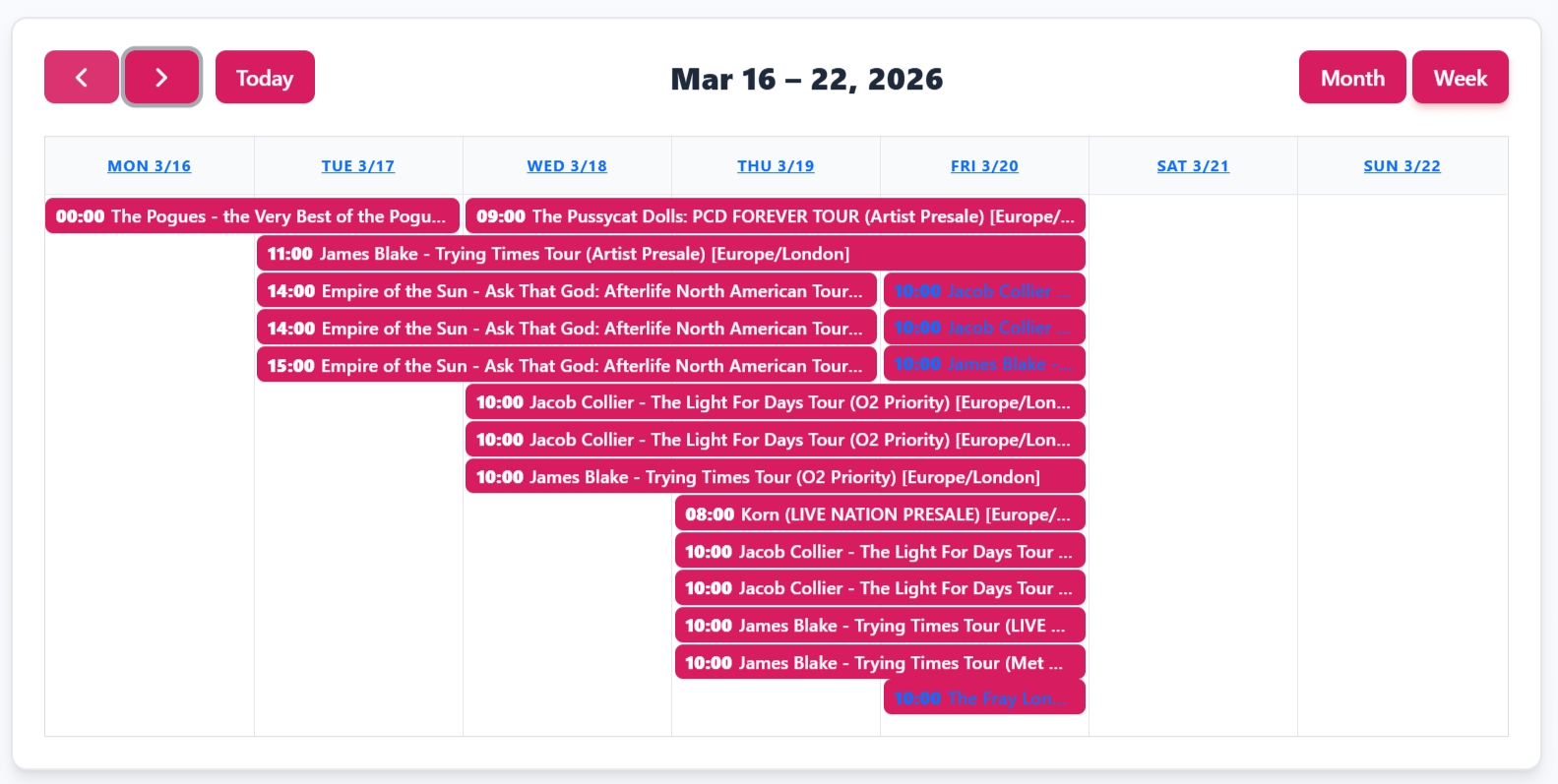
Instead of keeping sale times scattered across emails, artist pages, and vendor sites, you can keep them in one place inside TicketRobin. Follow artists and their upcoming onsales can appear automatically in your tracker. If you only want specific sales, you can search and save them individually. If something is missing, you can add a custom onsale yourself with the key details, including the ticket link, sale type, start time, end time, and timezone.
Inside the tracker, you can switch between calendar and list views, review upcoming and past onsales, open the ticket link directly, and export events to Google Calendar, Outlook, Yahoo, or an ICS calendar file.
For many fans, this is the smartest first move: get organised early, get into presales and general sales on time, and try to buy through the official vendor while tickets are first released.
Start with onsales, then use Drops if needed
The best chance of getting official tickets is usually to be ready for the original sale windows, especially artist presales, partner presales, venue presales, and general sale.
That is where the Onsales Tracker helps most. It keeps those important sale times organised so you can prepare properly, open the correct link at the right moment, and avoid missing the initial opportunity just because the onsale date slipped by.
If you still do not manage to get tickets, do not fret. That is where TicketRobin’s Drops Event Tracker comes in. Once the first onsales have passed, more tickets can still become available later through additional official releases, new allocations, production holds being released, or other ticket drops closer to the event.
So the two features work well together:
- Use the Onsales Tracker to get into presales and general sales on time.
- If you miss out, use the Drops Event Tracker to get alerts when more tickets are released or made available.
How does the Onsales Tracker work?
How do onsales get into my tracker?
There are three main ways:
- Follow an artist and let TicketRobin add that artist’s upcoming onsales automatically.
- Search for individual onsales and save only the ones you want to track.
- Add a custom onsale manually if the one you need is not listed yet.
Can I limit followed artists to one country?
Yes. You can apply a country filter to a followed artist so you only see onsales for the market you care about.
What can I search by?
You can search onsales and narrow results with filters such as onsale type, country, and artist popularity.
What information can I see for each tracked onsale?
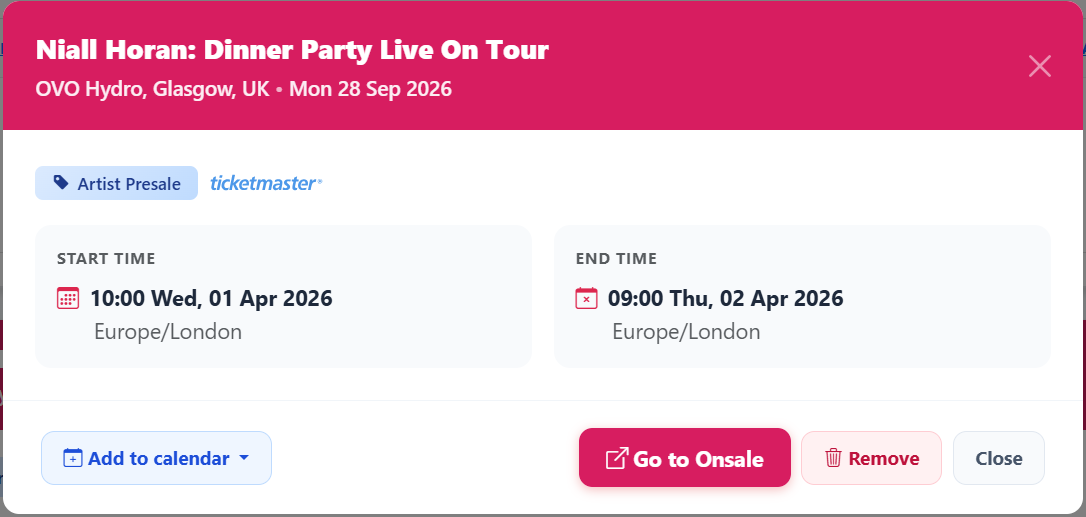
Each tracked onsale can show the event name, onsale type, ticket platform or vendor, start time, end time if available, and timezone.
What can I do from the tracker?
You can open the onsale link directly, add it to your own calendar, edit custom onsales you created, remove saved onsales, or unfollow artists you no longer want to track.
Is this for checkout automation or live drop monitoring?
No. The Onsales Tracker is a planning and organisation feature for upcoming ticket sale times. It helps you keep important onsales together in one place so you can prepare for them.
What if I still miss the onsale or tickets sell out?
If the initial onsale does not work out, you can switch to TicketRobin’s Drops Event Tracker and get alerts for ticket drops when more tickets are released or made available later.
Why we built it
Not every ticketing problem starts at checkout. Often the first challenge is simply keeping track of when different presales and general sales actually open, especially when artists, venues, markets, and sale types all vary.
The Onsales Tracker makes that planning step simpler by giving you one organised view of the onsales you want to remember, so you can focus on being ready for official ticket sales first and fall back to drop alerts only if you need them.